
Call Us 01482 861 040
New Workplace Sexual Harassment Laws Now in Effect – Understand Your Responsibilities with our Sexual Harassment Awareness Training Course.
DSE Training (Awareness)
25.00+ VATDisplay Screen Equipment (DSE) Training


Unlimited Resits Customer Support Instant Access
£25.00 +VAT per person
This online DSE Training course provides essential awareness for employees who regularly use Display Screen Equipment (DSE) as part of their work. Poor posture, incorrect screen positioning and unsuitable seating can contribute to health problems, including eye strain, headaches, and back and neck pain. Understanding how to use DSE safely can help reduce these risks and improve comfort in the workplace.
Correct workstation setup is an important part of maintaining health and safety when using computers, laptops and other display screen equipment. Employees who spend long periods working at a screen should understand the importance of suitable seating, screen positioning, regular breaks and good working practices. These measures can help reduce the risk of discomfort and musculoskeletal problems associated with prolonged DSE use.
Our online Display Screen Equipment Training course helps learners understand workstation ergonomics, identify common DSE hazards and recognise the importance of assessing workstation risks. It also introduces the principles of the Health and Safety (Display Screen Equipment) Regulations 1992, as amended, and the responsibilities involved in maintaining a safe working environment. By developing greater awareness of DSE safety, employees can take practical steps to protect their health and wellbeing at work.
- Helps you comply with The Health & Safety (DSE) Regulations 1992
- Work towards compliance with UK Health and Safety legislation
- Translations across multiple languages available
- Train online at your own pace with a full audio voiceover
- Assured by RoSPA & Accredited by CPD
- Certificate on successful completion
- Course duration: 30 minutes
- Unlimited resits at no cost
Discounts on Bulk Purchases
Take advantage of our bulk discounts which will reduce your overall cost of training. Better still, any courses you order can be registered to users upto two years later so there's no need to worry about training credits expiring.
| Courses Purchased | Discount |
|---|---|
| 10+ | 10% |
| 20+ | 20% |
| 50+ | 30% |
| 75+ | 40% |
| 100+ | 50% |
Who is this DSE Training for?
This online DSE Training course is suitable for anyone who regularly uses display screen equipment as part of their work. It is particularly relevant to office workers, administrative staff, homeworkers and employees who work remotely or in hybrid roles.
The course is also beneficial for those who regularly use laptops and other portable display screen equipment. Understanding how to use DSE safely and maintain a suitable workstation can help reduce the risk of discomfort, eye strain and musculoskeletal problems.
Course Screenshots


Course Aim
The aim of this online DSE Training course is to raise awareness of the health risks associated with prolonged use of display screen equipment and provide learners with the knowledge to recognise potential hazards. It also aims to help employees understand how good working practices and suitable workstation arrangements can reduce the risk of discomfort, injury and other health problems.
Learning Objectives
On completion of the course, you should be able to:
- List the different types of DSE
- List the potential health hazards associated with using DSE
- Name the main regulations relevant to DSE and who they apply to
- Identify what constitutes a “DSE user”
- Recognise what ‘ergonomics’ is and how it relates to DSE
- Identify what needs to be assessed on a workstation to minimise hazards to health
- Identify how to work comfortably and safely using DSE
- Identify how to avoid eye strain
- Identify how you can reduce health hazards when working with portable computers and appliances
Course Content
This course is made up of the following modules:
-
An Introduction to Display Screen Equipment
This section covers what DSE is, the types of why we use DSE.
-
Module 1 - Display Screens and Health Hazards
This section covers what types of display screens and potential health hazards when using DSE, and the regulations which DSE is covered by.
-
Module 2 - DSE Users, Assessing the Risks and the Individual
This section covers the different types of DSE user, assess of using DSE and assessing the individual required to use the DSE.
-
Module 3 - Ergonomics and the Workstation
This section covers ergonomics and how to correctly setup a workstation, including display screens, keyboards and mice, the desk area and the correct environment to help minimise the risks to users health.
Download Course Overview (PDF)
Assessment
On completion of the course lessons and training material an online assessment will automatically unlock. The assessment will contain 15 multiple-choice questions and a mark of 75% or above will be required to pass.
The assessment will be marked instantly and so you will know straight away if you have passed or not. If you don't pass first time there's no need to worry. Unlimited resits at absolutely no additional charge are available so you can retake the assessment again as many times as you need to.
DSE Training Certification
Our entire library of training courses is accredited by the CPD Certification Service as adhering to the universally recognised Continuing Professional Development (CPD) guidelines.
This training course and its content has also been assured by RoSPA, the Royal Society for the Prevention of Accidents.

Upon passing the online assessment you will have the options to both print and download your DSE Training Certificate in PDF format. In addition to this an automated email will also be sent to your chosen email address containing a link to your certificate ensuring you always have access to a copy.
Furthermore, a QR code is displayed on each certificate which when scanned by a smartphone links to our certification database. This allows employers, auditors and local authority inspectors, for example, to establish a certificates validity instantly and at any time.
Available in Multiple Languages
This training course includes machine generated translated content free of charge in the languages listed below:
- Hungarian, Polish
- Romanian & Russian
Please note: Course content which is not English may be machine translated and is made available for assistive purposes only. We cannot guarantee the accuracy of any translations.
Course Reviews
(99 reviews)
Related Online Training Courses
-
Fire Wardens

£25.00 +VAT
Everyone in the workplace should have an understanding of the risks associated with fire, and how to minimise fire risks. However if a fire does start there may be a requirement of designated individuals, armed with greater degree of knowledge, to take control, help to organise others, preventing panic and on occasions to control evacuation..
-
Fire Safety (Understanding)
£25.00 +VAT
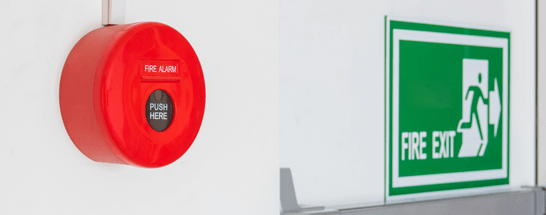
Fire can break out in any premises. It is unpredictable and deadly, but by understanding fire safety and taking precautions, the outcomes of fire can be minimised. This online training course is ideal for those who have the authority to control systems in buildings & those who should follow correct fire prevention systems..
£25.00 +VAT per person
Discounts on bulk purchases
- 10% Discount 10+ courses
- 20% Discount 20+ courses
- 30% Discount 50+ courses
- 40% Discount 75+ courses
- 50% Discount 100+ courses
- Compare plans & pricing
Training 10 or more people? Let us quote you
Training Management Suite (TMS) included
with orders of 5 or more courses.